Slots into free time
Create a reminder like you normally would — no need to pick a time. Wrangler finds the open gaps on your calendar and schedules it there.
 Reminder Wrangler
$1.99 · iPhone
App Store
Reminder Wrangler
$1.99 · iPhone
App Store
iPhone · Reminders + Calendar
Reminder Wrangler takes the todos in your Reminders app and schedules them into the free time on your Calendar — automatically, in the background. When a todo runs into a meeting, it moves. When you don't get to it, it reschedules to tomorrow. You never have to open the app.
How it works
No new interface, no daily check-ins. Keep using Reminders and Calendar exactly the way you do now — Reminder Wrangler works quietly in between.
Create a reminder like you normally would — no need to pick a time. Wrangler finds the open gaps on your calendar and schedules it there.
If a todo collides with a meeting, or the day just gets away from you, it moves itself to your next free slot. A safety net, not a nag.
A Done Today card and a quiet end-of-day recap, so you close the day knowing exactly what you got done.
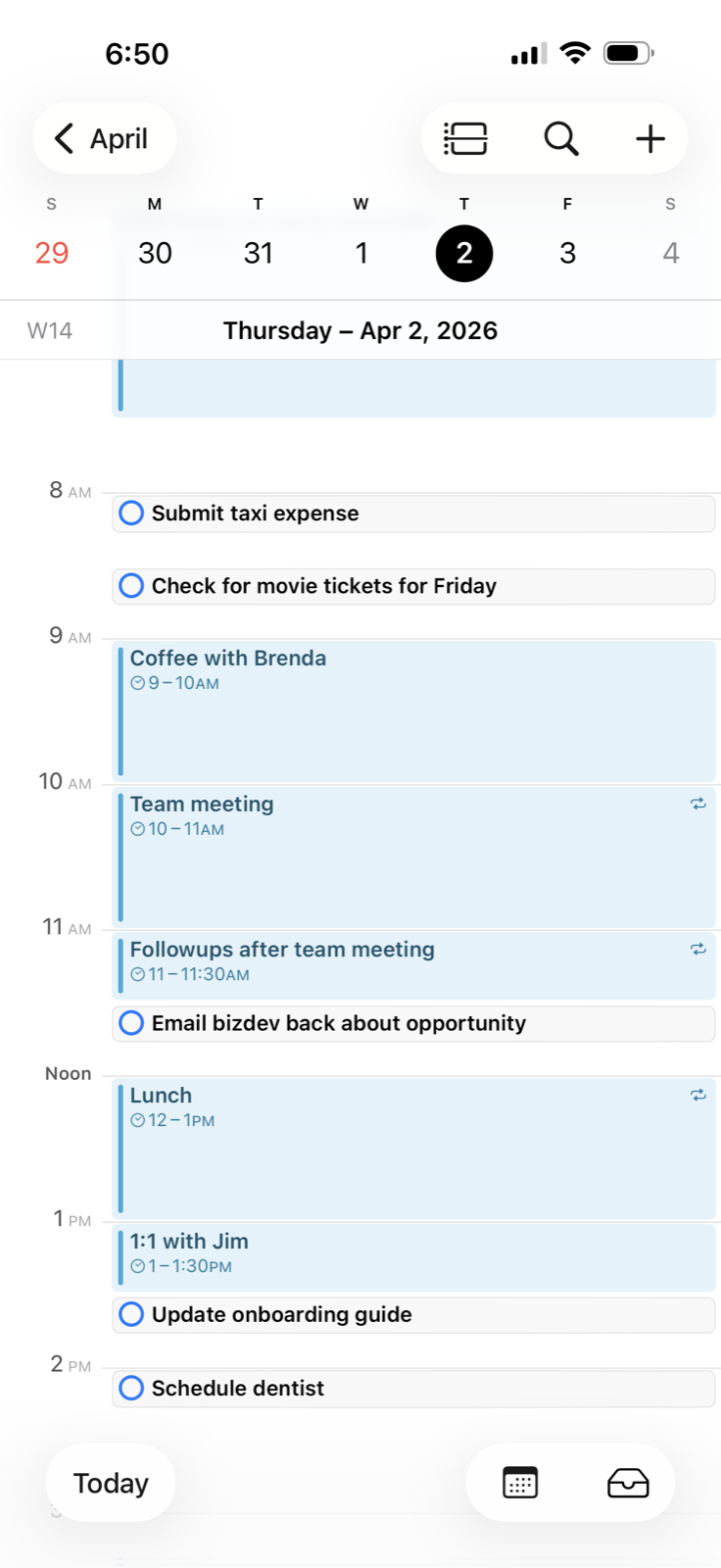
Your meetings stay put. Your todos land in the space between them — right there on the calendar you already check, so you can tell at a glance what's realistic for today and what isn't.
That's the difference between "I have twenty things to do" and "I have three things to do before lunch, and time to do them."
Why it matters
A todo list without a time slot is just a list of things you feel bad about not doing.
Built for how your brain actually works. If you have ADHD — or you've just noticed that trying out five productivity apps doesn't make you any more productive — Reminder Wrangler was made for you. It doesn't replace anything or ask you to learn a new workflow. It's one less app to get distracted by.